Membership campaignHelp us reach 150 membersBecome a member ›

Downloads

Mosque of Ibn Tulun, Cairo, Egypt

Khalil Guide

مختصر خليل

A study reader for Mukhtasar Khalil with its commentaries side by side, for students reading lesson by lesson and researchers tracing a question.

Download for Mac

Version 0.1.3 · 58.3 MB · macOS 14 or later, Apple silicon or Intel

Signed and notarized by Apple, so it opens without a security warning.
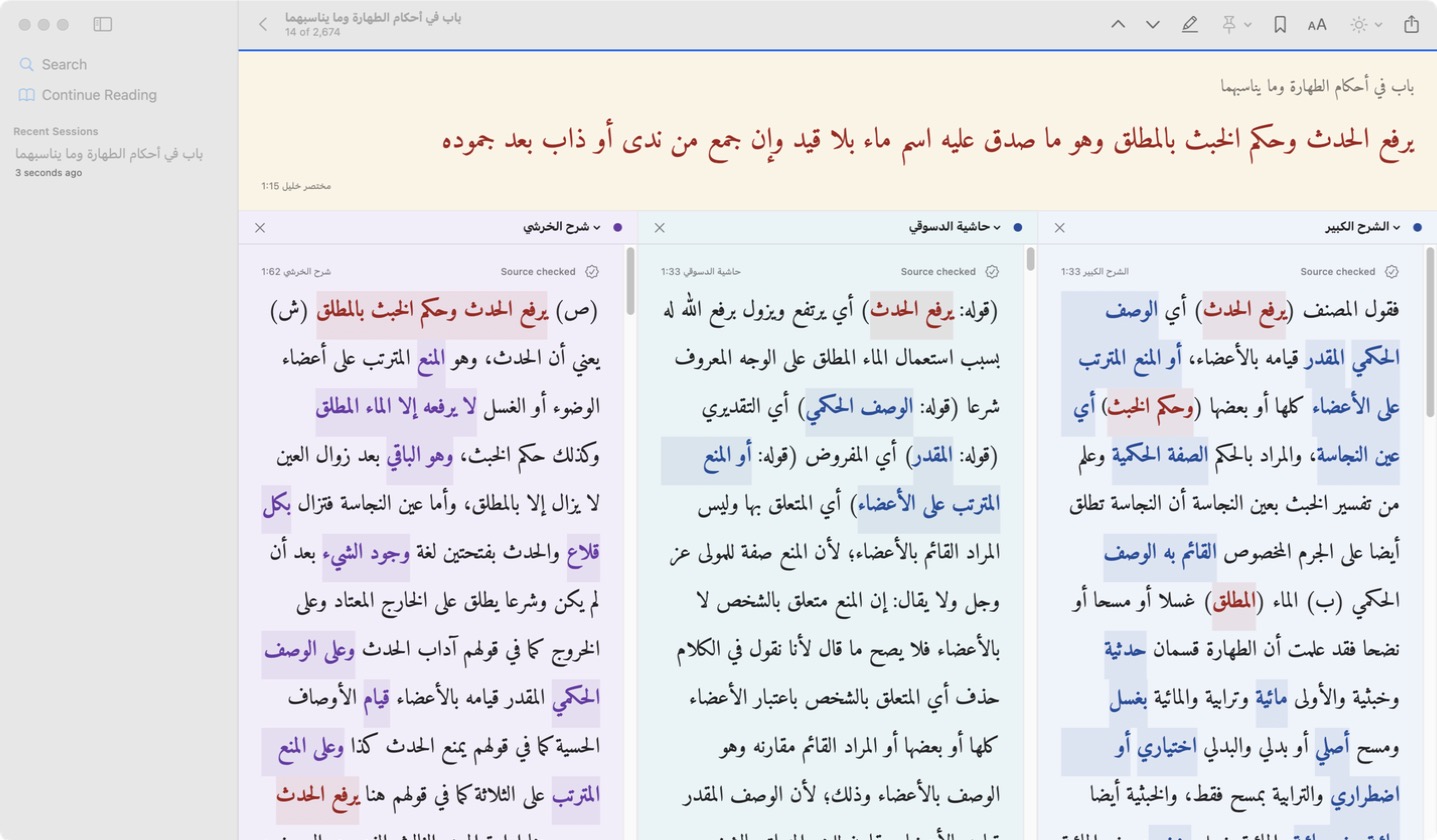
Khalil Guide showing a passage of Mukhtasar Khalil above three commentaries side by side

The matn, with its commentaries beside it

The passage you are reading stays at the top under its chapter heading. Pin as many commentaries as you like beneath it, resize them, and step through any of them with the arrow keys while the others follow.

The whole reader window: the matn above al-Sharh al-Kabir, Hashiyat al-Dasuqi and Sharh al-Kharashi

Notes that stay with the words

Double-click a word, or right-click a selection, to look it up, highlight it or add a note. Each note is tied to the words it is about and sits in the margin beside them. Notes are written in a small box you can drag aside, so the text is never covered.
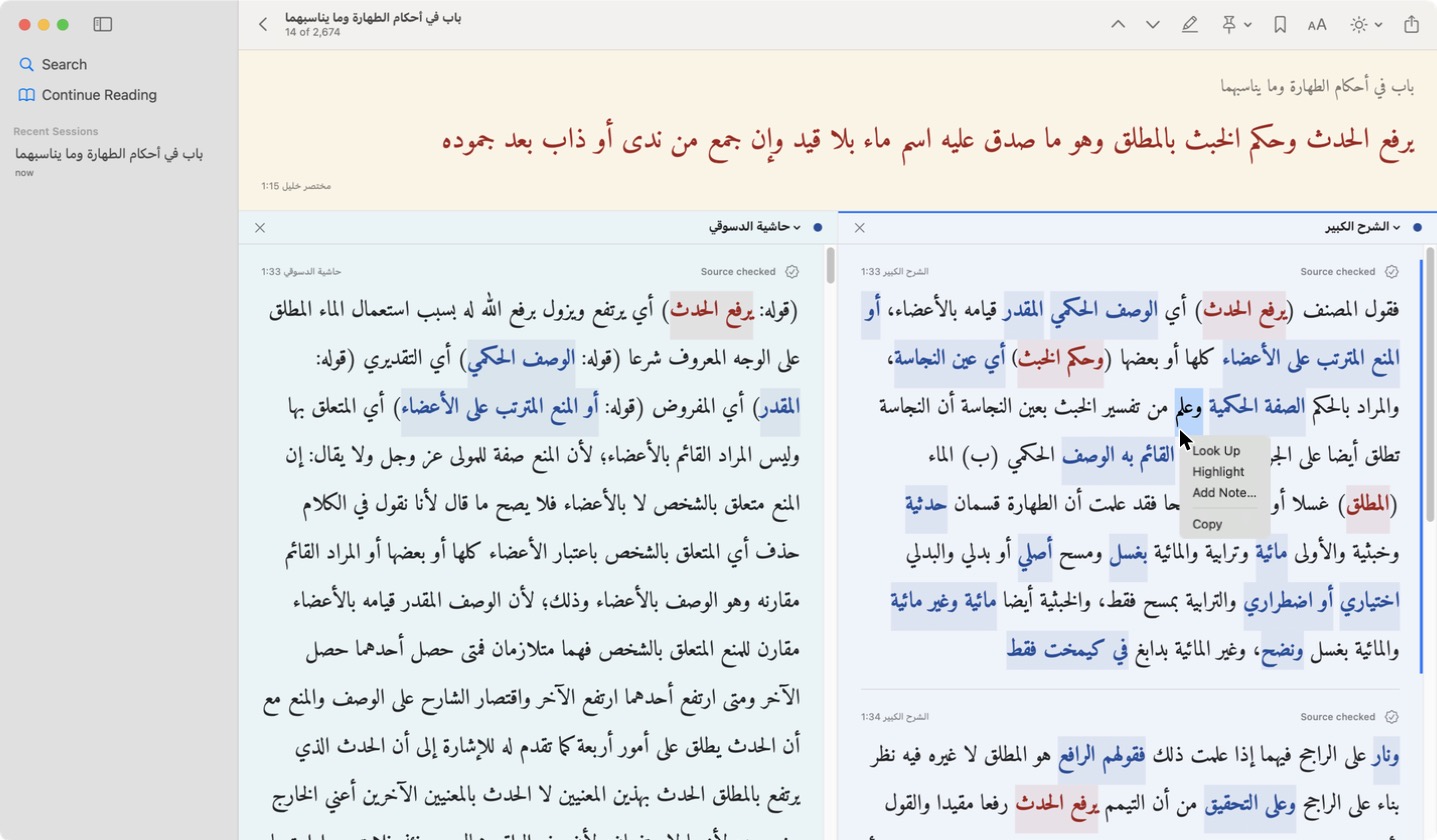
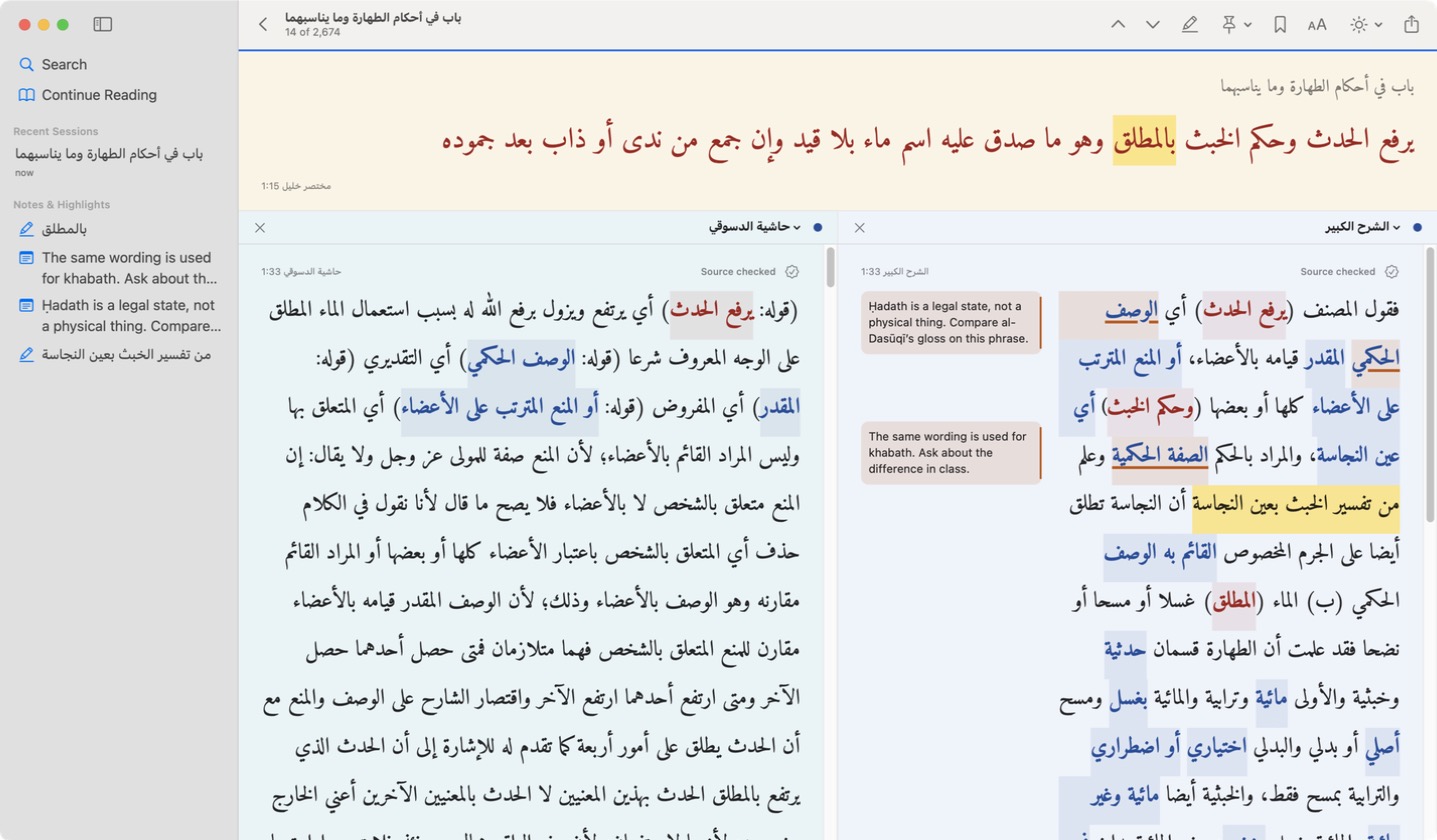
Close view of the menu that appears on double-clicking a word

Find a passage three ways

Type a few words of the matn or paste a whole passage, with or without vowel marks. Search inside every commentary and gloss. Or describe what you are looking for in your own words, in Arabic or English; that last one needs your own OpenAI API key. Command-K starts a search from anywhere.
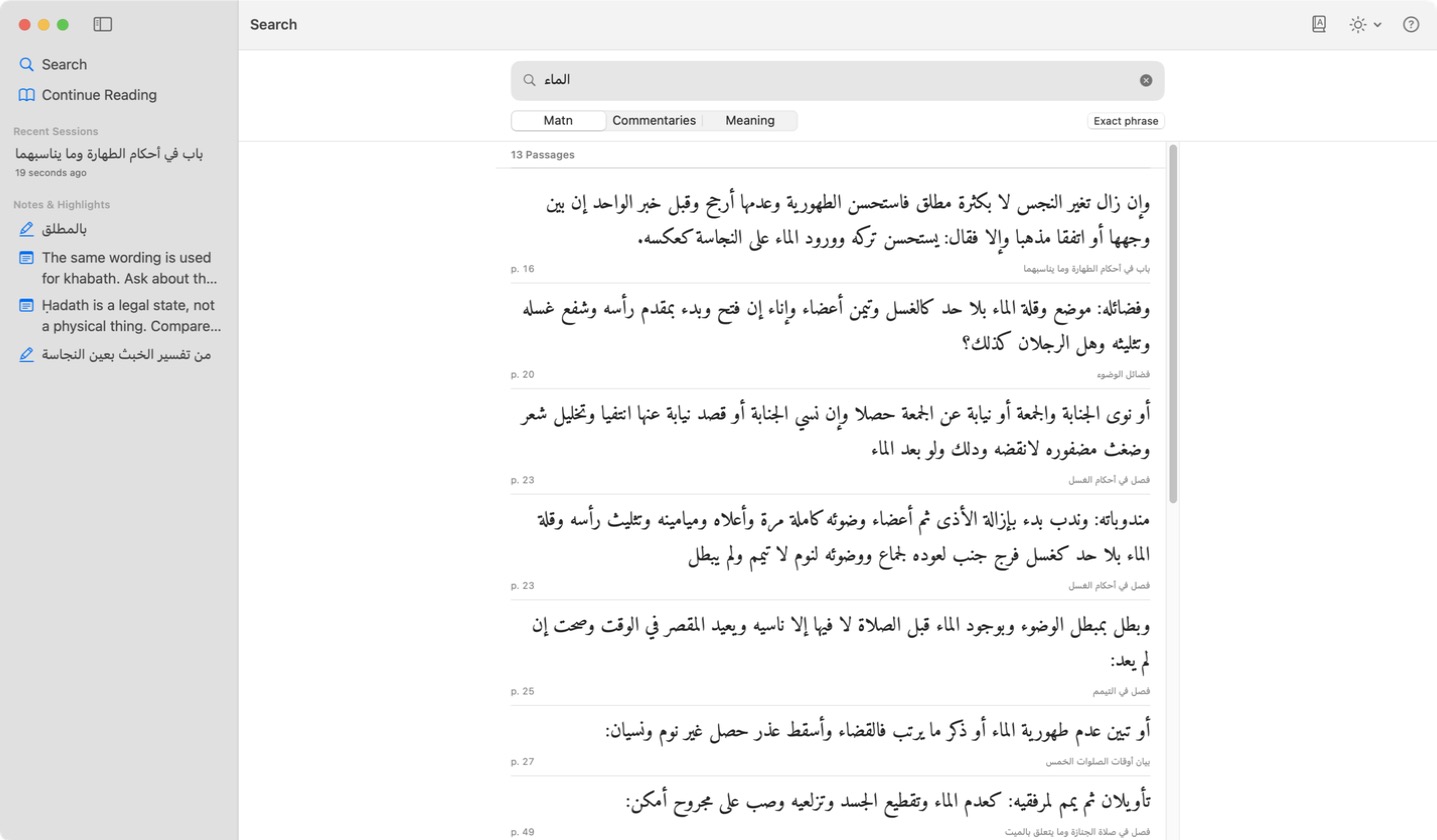
The search screen with results for a word of the matn

A dictionary that finds the root for you

Look up any word in Mukhtar al-Sihah. The dictionary is organised by root, so the app traces an inflected word to its root first and opens the right entry.
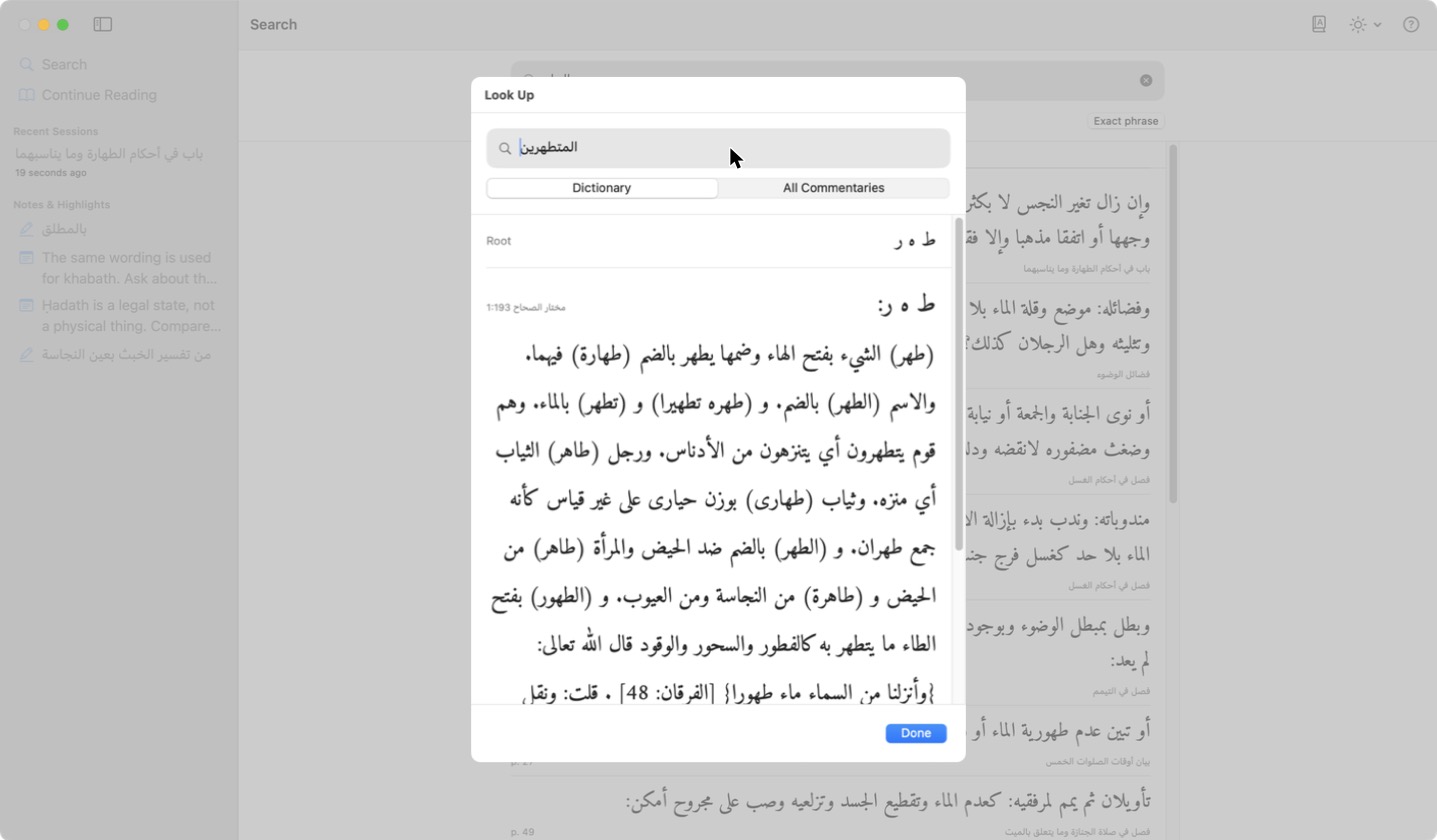
The dictionary window after typing an inflected Arabic word

Arabic or English, day or night

Choose the interface language when you first open the app. Arabic turns the whole layout right to left. Light and dark appearance each have their own backgrounds for every text.
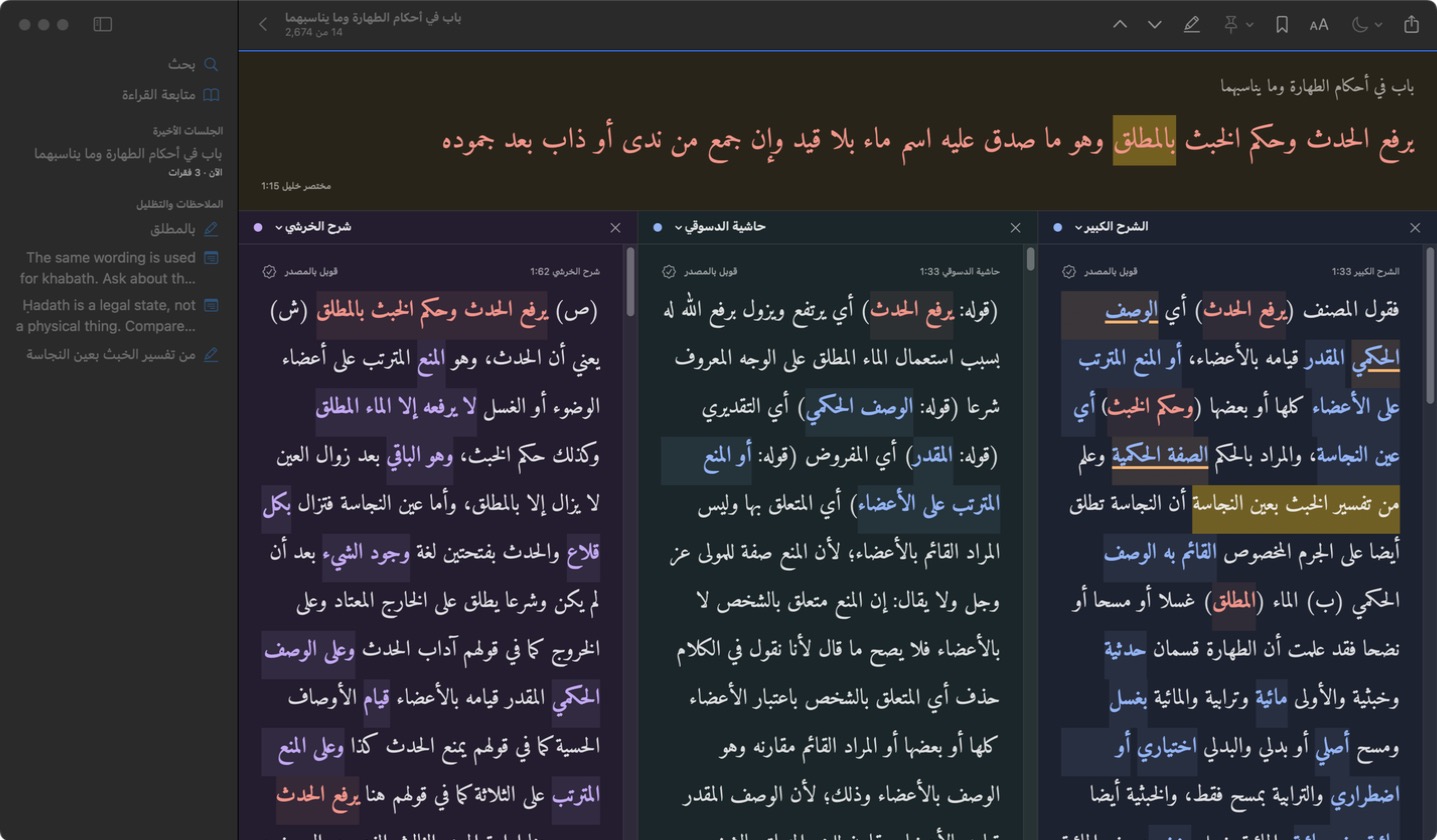
The reader with an Arabic interface in dark appearance

Works offline

The texts are inside the app. Only meaning search and update checks use the internet.

Updates itself

The app checks for new versions and installs them when you agree.

Saves your place

Reopen the app and you are on the passage you left.

Keeps your notes

Notes and highlights stay on your Mac and survive app updates.

Read every page

Browse a commentary continuously, including pages without a synchronized matn link.

Honest about its links

Each link between matn and commentary is labelled checked or unreviewed.

Texts included

  • Mukhtasar Khalil (the matn)
  • al-Sharh al-Kabir by al-Dardir, with Hashiyat al-Dasuqi
  • Sharh al-Kharashi, with Hashiyat al-Adawi
  • Mawahib al-Jalil by al-Hattab
  • Mukhtar al-Sihah (dictionary)

How to install

  1. 1Open the downloaded disk image.
  2. 2Drag Khalil Guide into the Applications folder.
  3. 3Open it from Applications and choose Arabic or English.

Start reading

Download for Mac

Version 0.1.3 · 58.3 MB · macOS 14 or later, Apple silicon or Intel

Links between the matn and the commentaries were matched automatically, and most have not been reviewed by a scholar. Each link is labelled as checked or unreviewed in the app.

SHA-256: 86b1002f447d08c79e16ebe17a4a25484a1e1ea4fedcb378eb79818dd9a2cc38

Hidaya Guide

الهداية في شرح بداية المبتدي

Read al-Marghinani’s al-Hidaya in Hanafi fiqh alongside its commentaries, with offline search, a root-aware dictionary, and your own study notes.

Download for Mac

Version 0.1.1 · 54.4 MB · macOS 14 or later, Apple silicon or Intel

Signed and notarized by Apple, so it opens without a security warning.

Read every page

Browse each commentary continuously, including pages without a synchronized main-text link.

Works offline

The Arabic texts and Mukhtar al-Sihah dictionary are bundled inside the app.

Commentaries side by side

Pin several works beneath the main text, resize their panels, and follow the quoted wording in colour.

Notes and highlights

Mark words, add notes, and return through bookmarks, recent searches, and reading sessions.

Search the texts

Search the main text or the commentaries, with or without vowel marks, and look up words by root.

Arabic or English

Choose your interface language, font, text size, and light or dark appearance.

Updates itself

Each guide checks its own update feed. Your notes and reading history stay with that guide when it updates.

Texts included

  • Al-Hidaya fi Sharh Bidayat al-Mubtadi by al-Marghinani (main text)
  • Fath al-Qadir by Ibn al-Humam
  • Al-Inaya Sharh al-Hidaya by al-Babarti
  • Al-Binaya Sharh al-Hidaya by al-Ayni
  • Natayij al-Afkar by Qadizada (the continuation of Fath al-Qadir)
  • Mukhtar al-Sihah (dictionary)

How to install

  1. 1Open the downloaded disk image.
  2. 2Drag Hidaya Guide into the Applications folder.
  3. 3Open it from Applications and choose Arabic or English.

Start reading

Download for Mac

Version 0.1.1 · 54.4 MB · macOS 14 or later, Apple silicon or Intel

All automatic links between al-Hidaya and the commentaries are labelled unreviewed; gaps may remain. Natayij al-Afkar continues Fath al-Qadir and covers the later chapters. Meaning search is not included in this release.

SHA-256: 276864c8e79ccb4da05b95b8d10c9940595c27c4bde1114fea9592725914b813

Risala Guide

رسالة ابن أبي زيد القيرواني

Read Ibn Abi Zayd al-Qayrawani’s al-Risala with four Maliki commentaries and al-Adawi’s separate gloss, with offline search, a root-aware dictionary, and your own study notes.

Download for Mac

Version 0.1.1 · 23.0 MB · macOS 14 or later, Apple silicon or Intel

Signed and notarized by Apple, so it opens without a security warning.

Read every page

Browse each commentary continuously, including pages without a synchronized main-text link.

Works offline

The Arabic texts and Mukhtar al-Sihah dictionary are bundled inside the app.

Commentaries side by side

Pin several works beneath the main text, resize their panels, and follow the quoted wording in colour.

Notes and highlights

Mark words, add notes, and return through bookmarks, recent searches, and reading sessions.

Search the texts

Search the main text or the commentaries, with or without vowel marks, and look up words by root.

Arabic or English

Choose your interface language, font, text size, and light or dark appearance.

Updates itself

Each guide checks its own update feed. Your notes and reading history stay with that guide when it updates.

Texts included

  • Al-Risala by Ibn Abi Zayd al-Qayrawani (main text)
  • Kifayat al-Talib al-Rabbani by al-Manufi
  • Al-Fawakih al-Dawani by al-Nafrawi
  • Sharh Zarruq ala Matn al-Risala by Ahmad Zarruq
  • Al-Thamar al-Dani by al-Abi al-Azhari
  • Hashiyat al-Adawi on Kifayat al-Talib al-Rabbani (separate gloss)
  • Mukhtar al-Sihah (dictionary)

How to install

  1. 1Open the downloaded disk image.
  2. 2Drag Risala Guide into the Applications folder.
  3. 3Open it from Applications and choose Arabic or English.

Start reading

Download for Mac

Version 0.1.1 · 23.0 MB · macOS 14 or later, Apple silicon or Intel

All automatic links between al-Risala and the commentaries are labelled unreviewed; gaps may remain. Kifayat al-Talib and al-Adawi’s gloss are shown separately. Meaning search is not included in this release.

SHA-256: 16b64f1e0926d72d19d70c3ed8f3049f9a8d05811e5035096b8592ccaed30bf4